Educational materials are created every day: slide decks for workshops, handouts for students, videos for online courses, exercises for training sessions, guides for researchers, or toolkits for communities. Many of these materials are published online — but being online does not automatically make them open.
Open Educational Resources, or OER, go one step further: they are teaching, learning or research materials that are free to access and come with legal permission to use, adapt and share them. SPARC Europe defines OER as resources that are "free of cost and access barriers, and which also carry legal permission for open use." UNESCO connects OER to inclusive and equitable quality education and lifelong learning, and its 2019 Recommendation on OER encourages countries and institutions to support their creation, reuse and adaptation.
In other words: free means you can access a resource. Open means you know what you are allowed to do with it. A PDF on a project website may be useful, but if there is no licence, others may not know whether they can translate it, adapt it, or combine it with other materials. OER make these permissions visible from the beginning.
Why do OER matter for Open Science?
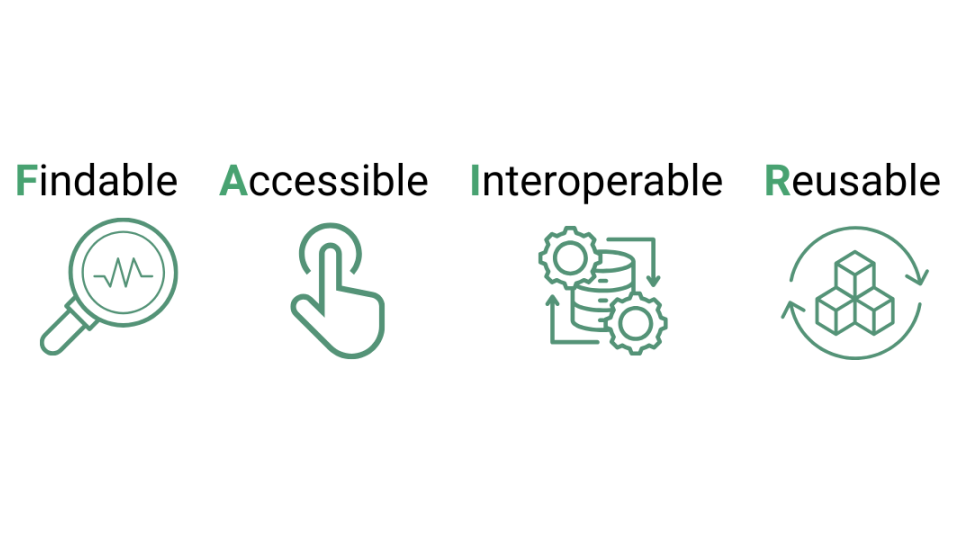
Open Science is often associated with open access publications, open data or open-source software and the FAIR principles — but openness also concerns how knowledge is taught, explained and shared. OER turn knowledge into something others can learn from, teach with, adapt and improve, extending its life beyond one publication, one course or one event: a training module developed for a summer school can become useful for another university, a project toolkit can support local authorities or civil society organisations, and a data literacy exercise can be translated and reused in another country.
OER also reduce duplication. Instead of every educator or project team starting from scratch, existing materials can be reused and improved — which makes education more collaborative and more efficient, and supports wider participation, especially when resources are easy to find, clearly licensed, accessible and available in editable formats.
How is an OER workflow different from a regular teaching workflow?
The OER Workflow by Nele Hirsch — itself published under a CC BY 4.0 licence — offers a helpful starting point: creating an OER is not just about adding a licence at the end. Openness should be considered throughout the whole design and production process.
A typical teaching-material workflow asks who the target group is, what the learning objectives are, which format fits best, and how the material will be used and evaluated. An OER workflow adds further questions: Who else might reuse this? Can it be adapted? Are the sources clear? Are the formats editable? Is the licence visible? Can others find it? Can it be maintained? These extra questions are what turn ordinary teaching material into a resource that can travel beyond its original context.
Step 1: Analyse who the resource is for
Good OER start with a clear understanding of the learners: are they students, teachers, researchers, policymakers, practitioners, community groups or the general public? What do they already know? What language level is appropriate? What barriers might they face?
For OER, it also helps to think beyond the first audience. A resource created for a university seminar may later suit a public workshop; a toolkit built for one project may be adapted by another initiative; a slide deck in English may later be translated. Not every OER needs to work for everyone — but the more clearly the audience and context are described, the easier it is for others to judge whether and how they can reuse it.
Step 2: Design the learning concept
Before producing the material, define what the learner should understand or be able to do afterwards — clear learning objectives make OER easier to reuse because they show its purpose.
This is also the stage to choose the right format. OER can be a worksheet, slide deck, video, podcast, infographic, textbook, quiz, dataset, lesson plan, tutorial, simulation, full course or modular toolkit — OER Commons alone lists resource types spanning activities, assessments, case studies, datasets, textbooks, modules and lesson plans.
Modularity is especially useful: a long report is hard to reuse, while a short module with clear objectives, exercises and source files can be adapted much more easily. Think of OER as building blocks — the easier they are to take apart, translate, remix and update, the more useful they become.
Step 3: Develop the material and document your sources
When developing OER, content quality and legal clarity go hand in hand — it is not enough to create something useful; others also need to know whether they can reuse it.
Keep track of every external element used: images, icons, datasets, diagrams, text extracts, videos, music or templates. Check whether each is openly licensed, in the public domain, created by your own team, or used with permission, and avoid mixing materials with incompatible licences.
Keep editable source files too. A PDF is fine for reading but hard to adapt; where possible, share the original slide deck, text document, HTML or Markdown file, design file, spreadsheet or code — sharing the source is what actually lets others build on the work, not just view it.
Accessibility should be part of production from the start: use clear language, structure the material with headings, add alt text to images, provide captions or transcripts for video, avoid relying on colour alone to convey meaning, and check that files work with assistive technologies. Open should not only mean legally reusable — it should mean practically usable.
Step 4: Choose the right open licence
Licensing is one of the most important parts of OER — it tells others what they are allowed to do with your material. Creative Commons licences are the standard choice for OER because they offer a standardised, legally sound way to share knowledge, culture and educational content openly.
For most OER, the most suitable licences are:
- CC BY — others can copy, share, adapt and build on the material, including commercially, as long as they give appropriate credit.
- C BY-SA — others can reuse and adapt the material, but any adaptation must be shared under the same licence; useful when creators want future versions to stay open.
More restrictive licences such as CC BY-NC or CC BY-ND can look attractive at first, but they limit reuse — "NoDerivatives" in particular means others may not adapt the material at all, which works against one of the main benefits of open education. Creative Commons provides an official licence chooser to help select a suitable option. As a simple rule: if you want others to translate, update, localise or remix your resource, pick a licence that allows adaptation.
Step 5: Publish the OER where others can find it
An OER is only useful if people can discover it. Publishing it on a project website is a good start, but it should also be easy to search, cite and download.
Good publication practice includes:
- a visible title, author or institutional attribution, and publication date;
- a version number and licence information;
- a recommended citation, keywords and a short description;
- learning objectives, file formats, and a contact or feedback option.
The BCcampus Open Education Self-Publishing Guide describes open textbook creation as covering "preparation, planning, writing, publication, and maintenance" — a useful reminder that publication is not the final step; OER need care after release. Possible publication channels include institutional repositories, Zenodo, OER Commons, national OER portals, Pressbooks, Wikimedia Commons for suitable media files, or a project website with clear metadata.
Step 6: Maintain, improve and invite reuse
OER are living resources: links break, data changes, examples become outdated, and learners ask new questions. A good OER should include a way to report errors, suggest improvements or find newer versions.
Maintenance can be simple: add a version number, record changes, set a review date, invite feedback, keep source files organised, and make sure the licence and attribution stay clear across versions.
Discoverability is an ongoing challenge too. Metadata is often treated as an administrative afterthought, but it is what lets search and recommendation tools find an OER at all — without it, even a well-made resource can stay effectively invisible.
A short checklist for creating OER
Before publishing, ask:
- Is the learning objective clear, and is the target audience described?
- Is the content accurate and understandable, and are all sources documented?
- Is the licence visible, and does it allow adaptation?
- Are editable files available, and is the resource accessible?
- Are keywords and metadata included, with a version number or update date?
- Can users give feedback?
If the answer to most of these is yes, the material is much more likely to be reused.
Start small
Creating OER does not have to mean building a full online course. A smaller starting point works just as well: adapt an existing openly licensed worksheet, publish a workshop slide deck under CC BY, turn a project explainer into a reusable teaching module, or share a dataset exercise with clear instructions.
The most important shift is not technical but cultural. OER ask us to design learning materials with others in mind: the teacher who wants to adapt them, the student who needs access, the researcher who wants to build on them, the project team that wants its results to live beyond the funding period. Open Educational Resources make knowledge more useful because they make it shareable — moving educational materials from one-time outputs to reusable public goods, and bringing Open Science into classrooms, workshops, communities and lifelong learning.
Further readings:
Openverse — search engine for CC-licensed and public domain images and audio.
Wikimedia Commons — media files with licence information on every file page.
Open Textbook Library — full openly licensed textbooks.
Europeana — openly licensed media from European cultural heritage collections.
OER World Map — directory for publishing and finding OER projects worldwide.